To configure the MQTT client via username and password you will need:
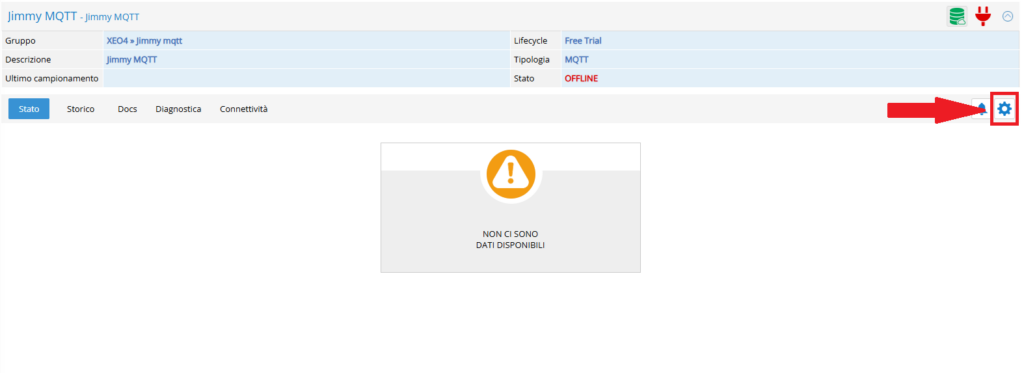
- Client ID: Open the Rilheva portal and go to the desired MQTT plant. Once on the plant screen, click the button with the gear symbol in the top right.
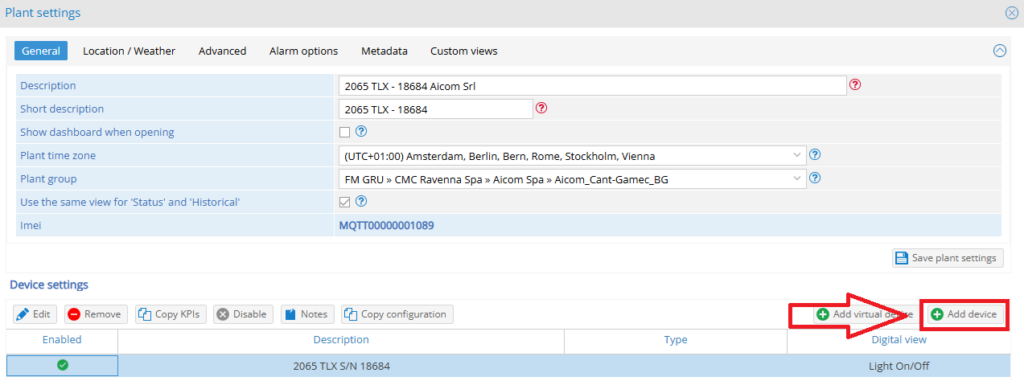
Once inside the plant configuration open the device configuration (double click on the desired device), if no peripheral is present then add one by clicking the “Add device” button.
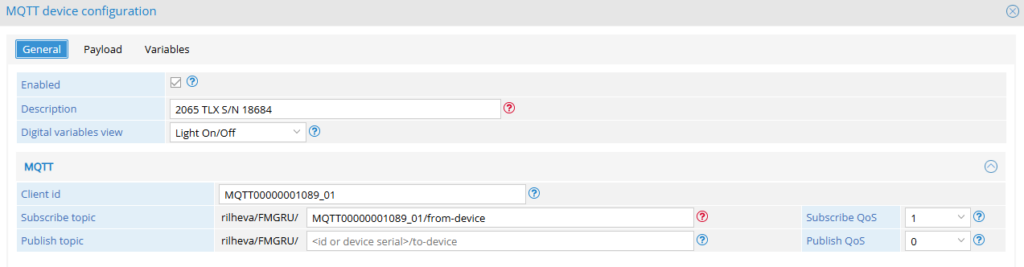
On the device configuration screen, under the “MQTT” heading, you will find the client ID (in “imei_01” format), the subscribe topic (“iot/from-device/{client-ID}”), and the publish topic (“iot/to-device/{client-ID}”).
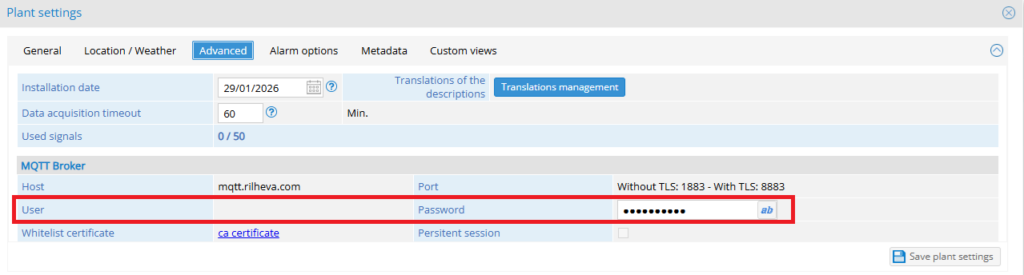
- Username and password: Open the “Advanced” section on the plant configuration page. Once opened under “MQTT Broker” you will find your username and password.
Was this helpful?
0 / 0