This procedure allows you to link the configured domain to the Email Communication Services resource.
Accedere allAccess the previously created Email Communication Services resource.
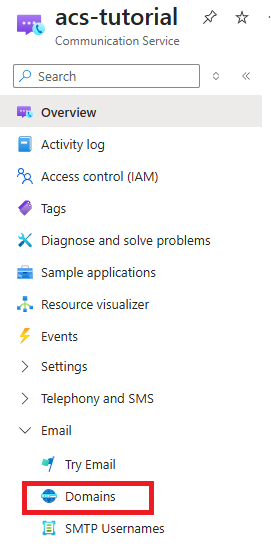
In the left-hand menu, scroll down to the section:
- E-mail > Domains
Select this option to view the list of configured domains.
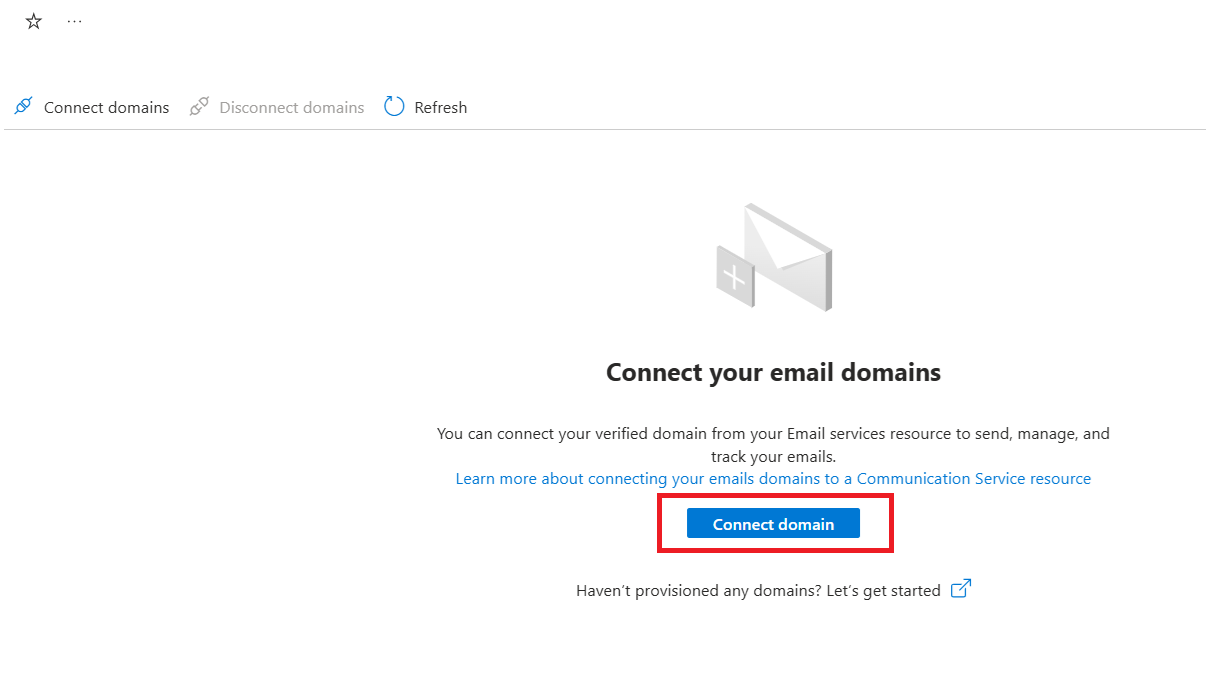
On the domain management page, you can associate the previously created domain.
Click Connect Domain to start the linking process.
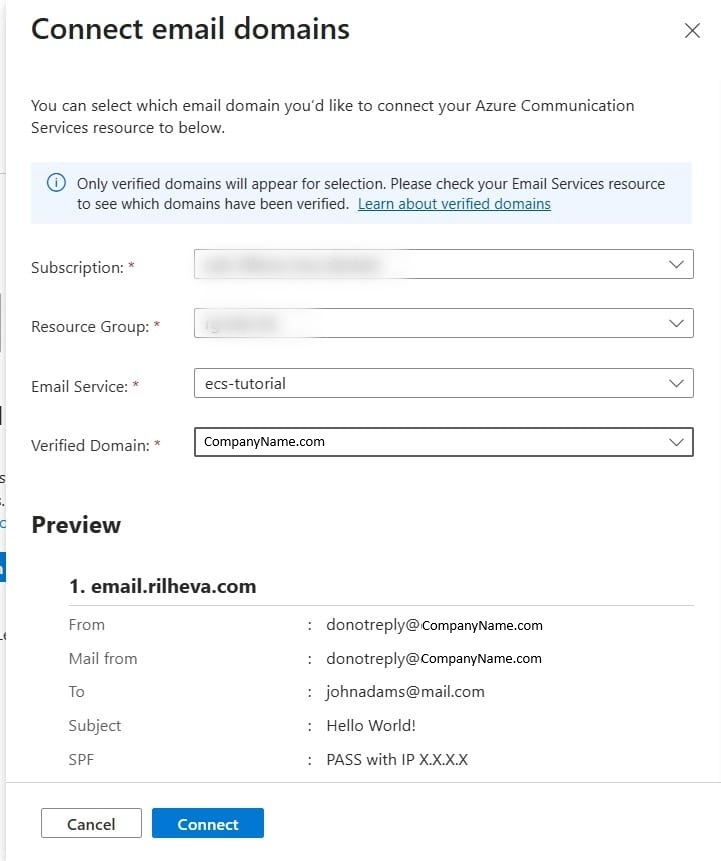
After making the selection, a side panel will open on the right.
In the panel, fill in the following fields:
- Subscription: select the subscription used previously
- Resource Group: select the resource group that was already created
- Email Service: select the previously created Email Communication Services
- Domain: select the domain that was configured and verified earlier
Once the form is complete:
Click Connect to proceed with linking the domain.
At the end of the operation, a confirmation screen will be displayed indicating that the domain has been successfully connected to the email service.

Was this helpful?
0 / 0