This procedure allows you to create an Azure Communication Service resource through the Azure portal.
To proceed, open a browser and access the Azure portal at:
After signing in with your credentials, type Communication Service in the search bar at the top.
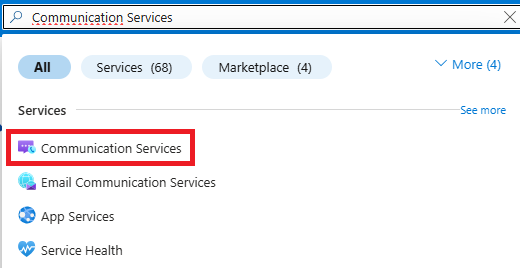
Select the corresponding item from the results and click Create.
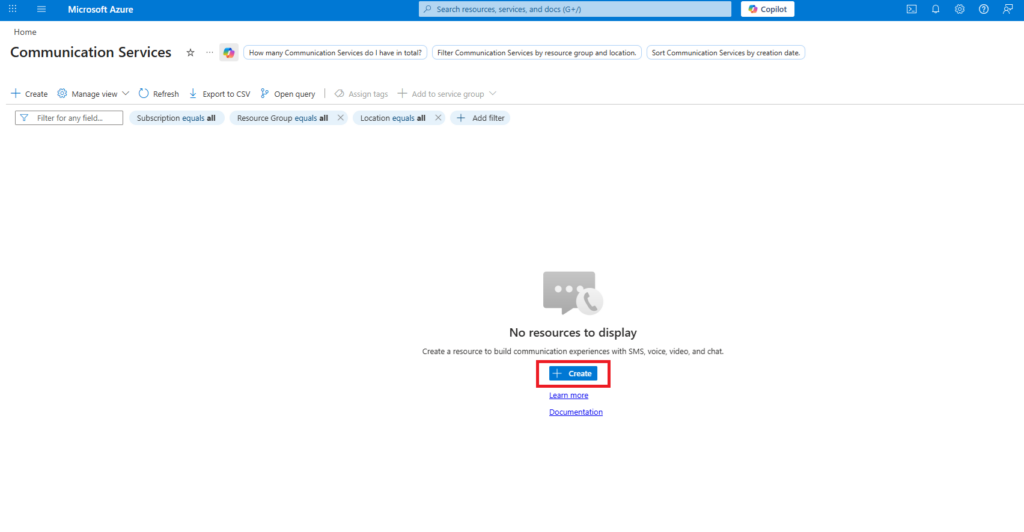
On the configuration screen, fill in the following fields:
- Subscription: allows you to select the Azure subscription in which to create the resource.
- Resource Group: allows you to select an existing resource group or create a new one.
- Resource Name: allows you to assign an identifying name to the resource.
- Region: allows you to select the closest or most appropriate geographic location.
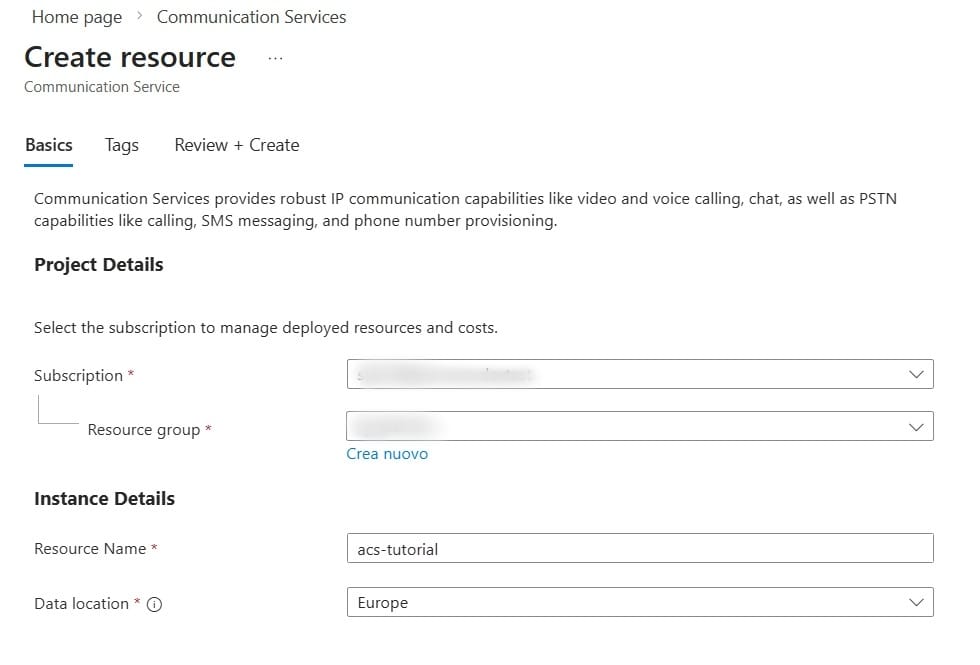
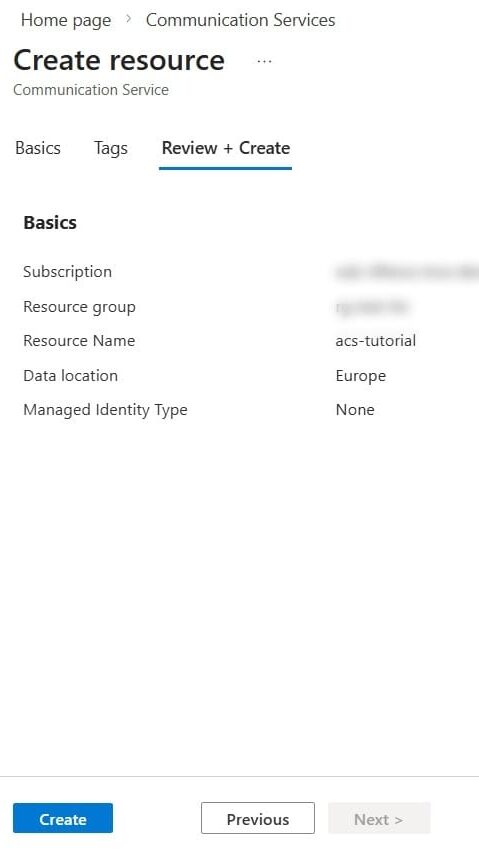
Once the form is complete, click Review + Create to verify the entered information.
After reviewing, click Create to start the creation of the resource.
Was this helpful?
1 / 0