This procedure allows you to create the username required for SMTP authentication of the Email Communication Services.
The username must be composed in the following format:
<ACS Resource Name>.<Entra App ID>.<Entra Tenant ID>
Where:
- ACS Resource Name: the name assigned to the Azure Communication Service resource.
- Entra App ID: the application (client) ID of the app registration.
- Entra Tenant ID: the tenant ID of the Microsoft Entra directory.
Retrieving Entra App ID and Entra Tenant ID
Access Microsoft Entra ID from the Azure portal.
In the left-hand menu, select:
Manage > App Registrations
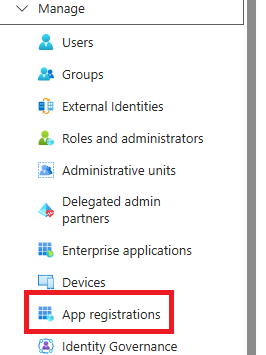
From the list of registered applications, select the application created previously.
Open the Overview section of the application.
Copy the value displayed in:
Application ID (client)

This value will be used as <Entra App ID> in the username.
Still on the application Overview screen, copy the value of: Tenant ID
This value corresponds to <Entra Tenant ID>.

Retrieving the Azure Communication Service Resource Name
Within the main screen of the resource, in the Overview section, you can view the Resource Name.
This value represents <ACS Resource Name> to be used in composing the SMTP username.
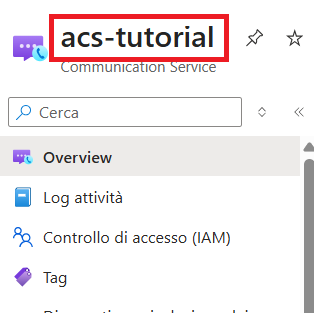
Once all the parameters have been retrieved, compose the username in the following format:
<ACS Resource Name>.<Entra App ID>.<Entra Tenant ID>
This username will be used in the subsequent SMTP configurations.
Was this helpful?
0 / 0